

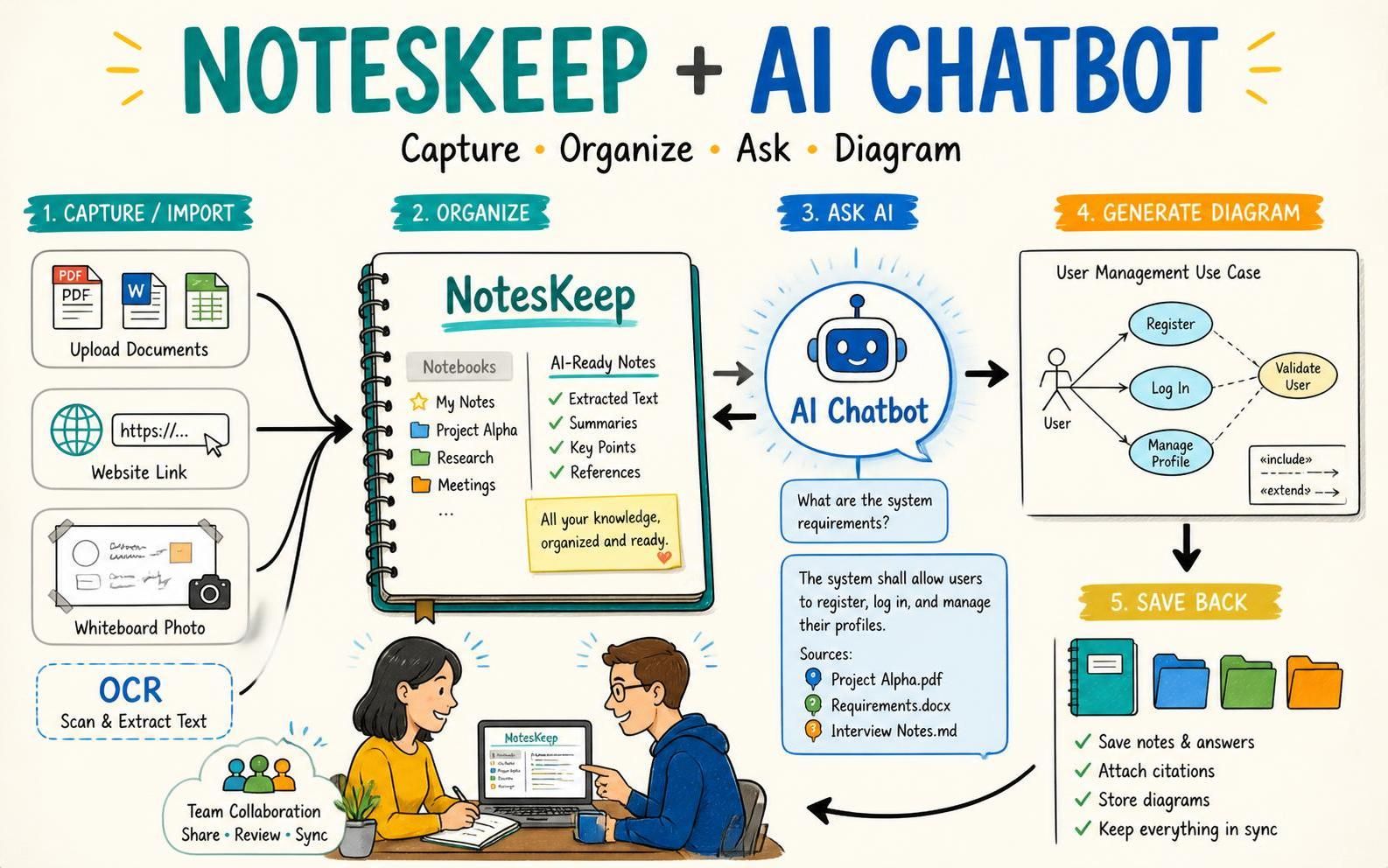
Visual Paradigm NotesKeep is an AI-powered knowledge management and intelligence platform designed to centralize team documentation, streamline note-taking, and integrate seamlessly with the Visual Paradigm AI Chatbot. This guide explains how to get started, organize your workspace, and leverage AI to query documents and generate technical diagrams.
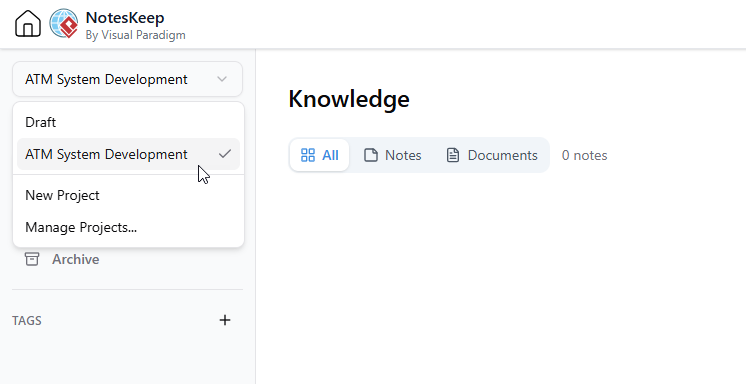
Step 1: Accessing and Setting Up Your Workspace
Before you begin, ensure your subscription meets the required edition levels (such as Combo or Deluxe editions for VP Online, or Professional edition with active maintenance for VP Desktop). Access the platform directly through your web browser:
- Navigate to the NotesKeep app.
- Log in using your Visual Paradigm account credentials.
- Select or create your project-based to isolate team documents and resources.
Step 2: Creating Notes and Importing Documents
NotesKeep functions as both a rich note-taking tool and a comprehensive document management system:
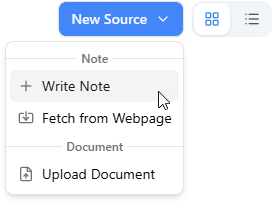
- Manual Note-Taking: Use the built-in rich text editor to write notes, format code blocks, and insert tables or hyperlinks. You can also embed architectural models, mind maps, and flowcharts directly. To create a note, click on the button New Source at the top right corner and select Write Note from the drop-down menu.
After that, write your note in the rich editor. Click Save when you are done.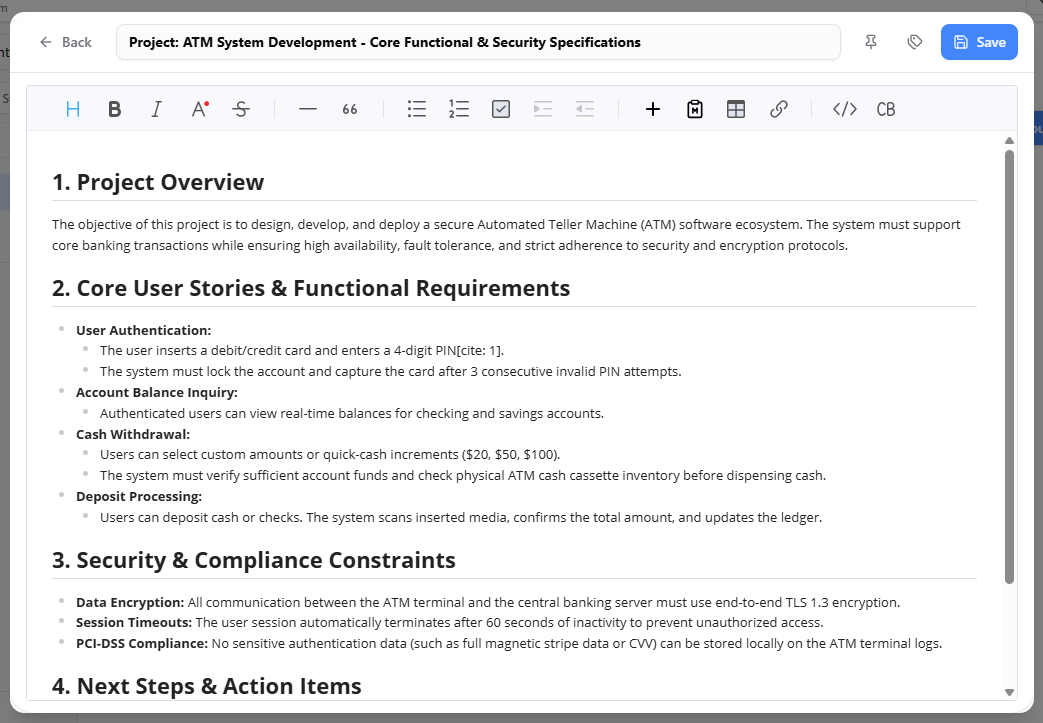
- URL Content Fetching: Paste any live website URL to automatically extract, clean, and convert web content into fully editable notes. To do this, click on New Source, and then select Fetch from Web Page.
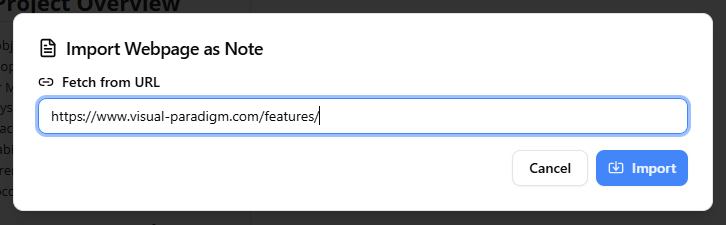
Click the Import button. The content will be imported as a note. You can then click the Edit button to open the content editor and clear up the redundant contents accordingly.
- Universal File Import: Upload multi-format files including Word documents (.docx), PDFs, spreadsheets (.xlsx), presentations (.pptx), markdown files (.md), images (.png, .jpg), and data schemas (.json, .yaml).
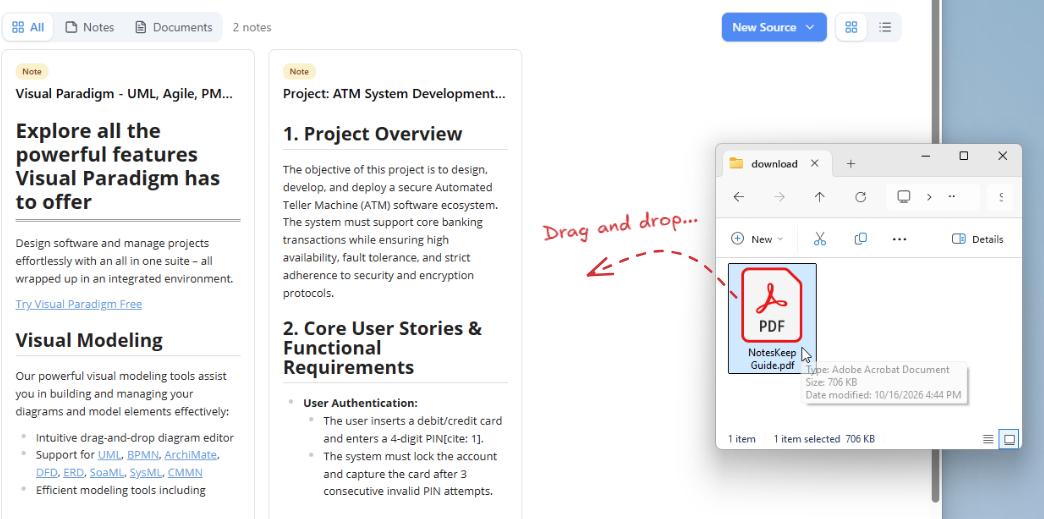
Step 3: Organizing and Managing Your Knowledge Base
Keep your centralized source of truth clean and accessible using built-in organization tools:
- Unified Views: Switch between grid and list views, and filter items by category (All, Notes, or Documents).
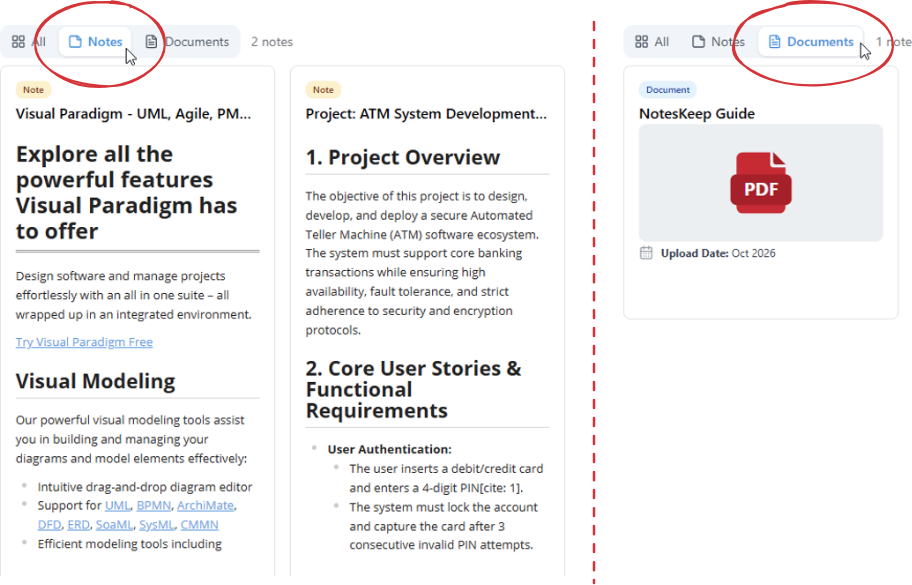
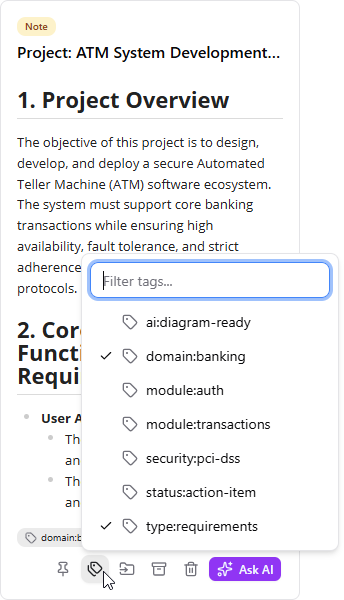
- Tagging & Pinning: Apply custom multi-dimensional tags for granular classification and pin critical resources for fast access.
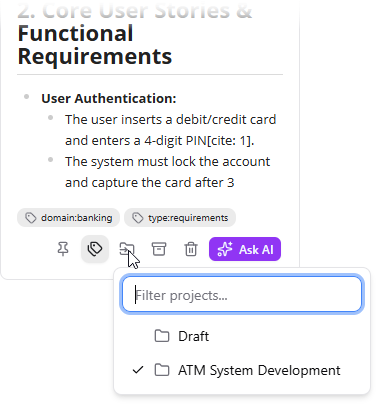
- Project Mobility: Easily transfer knowledge items and notes between different project workspaces as your project evolves.
Step 4: Leveraging AI Knowledge Intelligence & Chatbot
Unlock advanced AI features by pairing NotesKeep with the Visual Paradigm Chatbot:
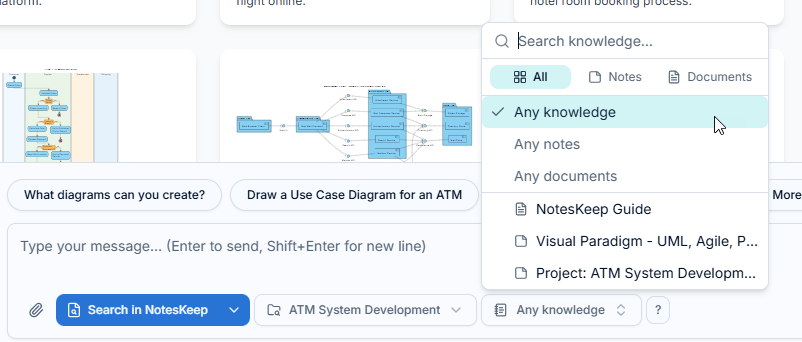
- Scoped RAG Queries: Open the chatbot, enable “Search in NotesKeep,” and select specific project scopes or notes to target your questions.
- Ask Your Question : Ask your question and get the answer. AI will try to answer based on the knowledge scope you set.
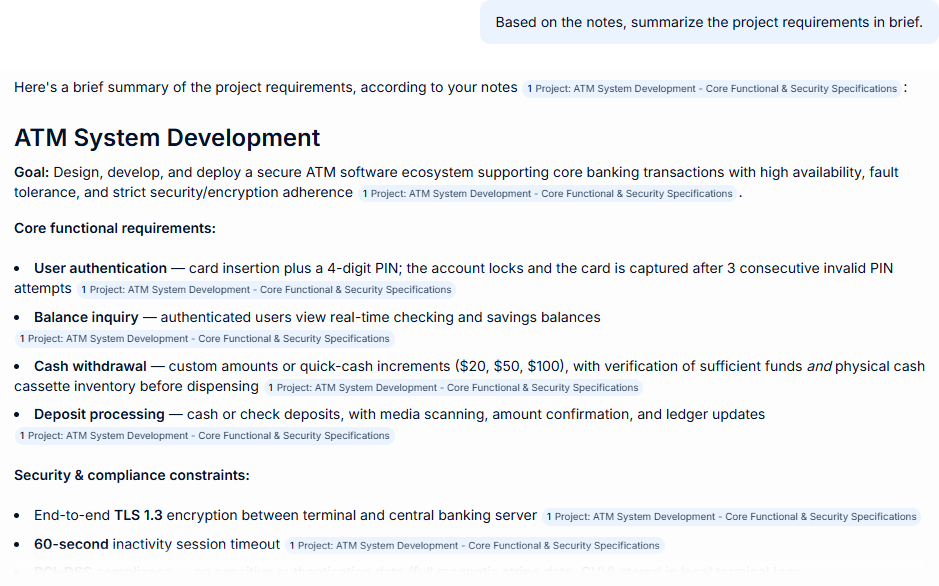
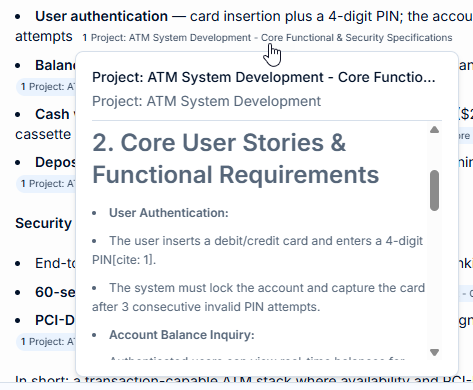
- In-Line Source Citations: Review AI-generated answers, which include clickable source references linking directly back to the exact originating notes or documents.
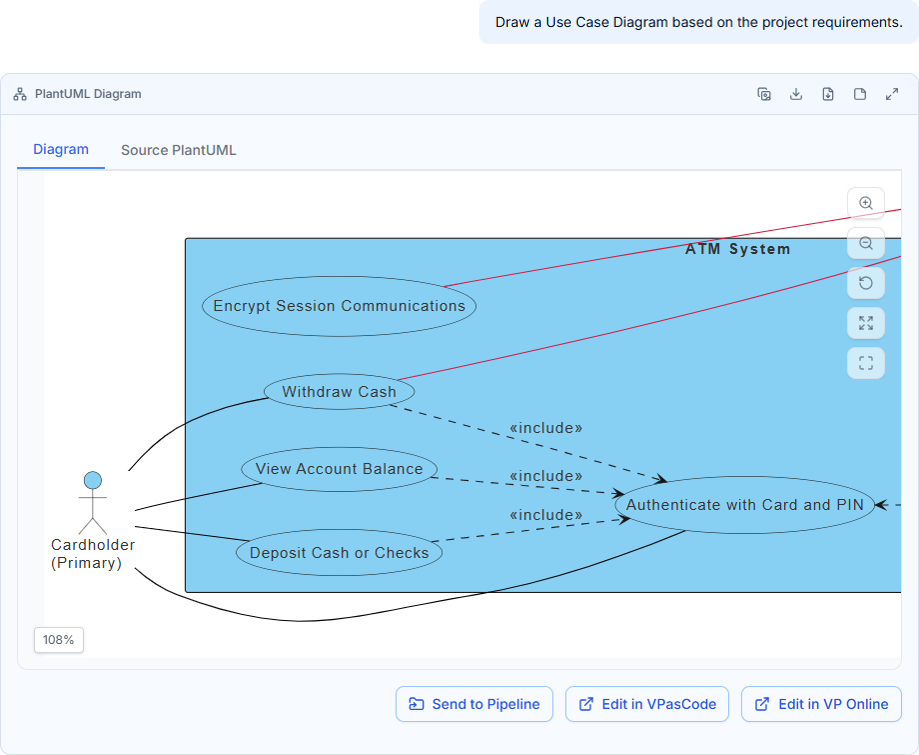
- AI Diagram Generation: Prompt the chatbot to convert unstructured text specifications into technical models such as UML diagrams, Entity Relationship Diagrams (ERDs), BPMN, and flowcharts.
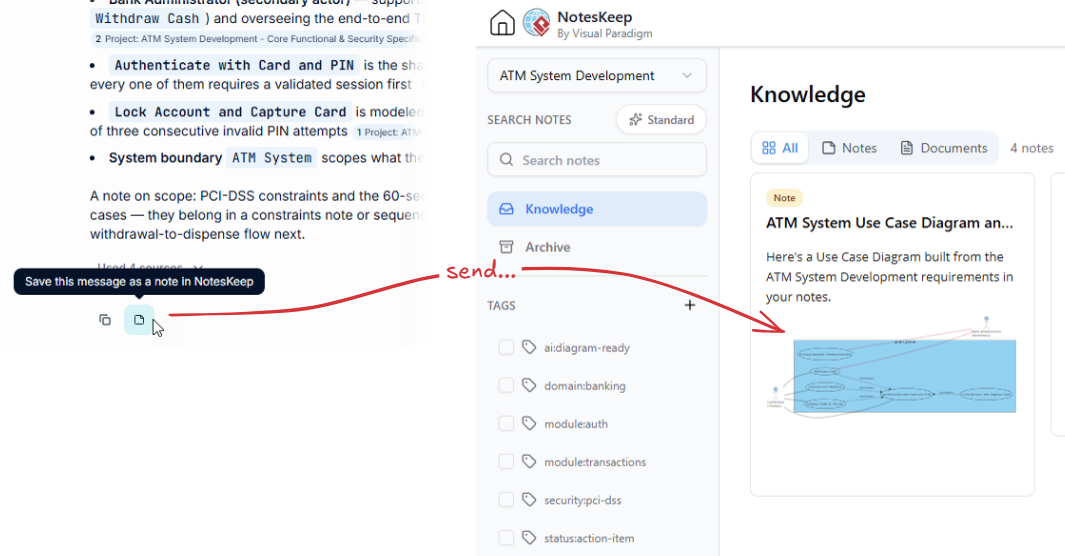
- Send to NotesKeep: Use the one-click loop feature to save synthesized answers, summaries, or newly generated technical diagrams directly back into your NotesKeep repository as structured notes.
Conclusion
By combining multi-format document ingestion, structured note-taking, and scoped AI RAG capabilities, Visual Paradigm NotesKeep serves as a powerful single source of truth for modern teams. Start uploading your documents and exploring AI-assisted workflows today to boost your team’s productivity.