

In modern collaborative environments, capturing ideas effectively is only half the battle. Organizing notes, fetching live web content, and connecting textual thoughts to visual diagrams are critical for maintaining a streamlined workflow. The Visual Paradigm Note-Taking Tool (a core pillar of the Visual Paradigm NotesKeep and AI Chatbot ecosystem) is designed to serve as a comprehensive note-taking and knowledge capture solution for individuals and enterprise teams.
Whether you are documenting project milestones, saving web research, or embedding complex technical diagrams, this tool bridges the gap between raw text capture and interactive AI-driven intelligence.
What Is the NotesKeep Note-Taking Tool?
The Note-Taking Tool is a versatile, feature-rich workspace embedded within the Visual Paradigm platform. It goes beyond standard text editors by combining manual rich-text authoring, automated web page importing, and deep, bi-directional visual integration with professional modeling tools. Instead of keeping your notes and technical diagrams in separate silos, this tool allows you to unify all project-related assets into a single, cohesive interface.
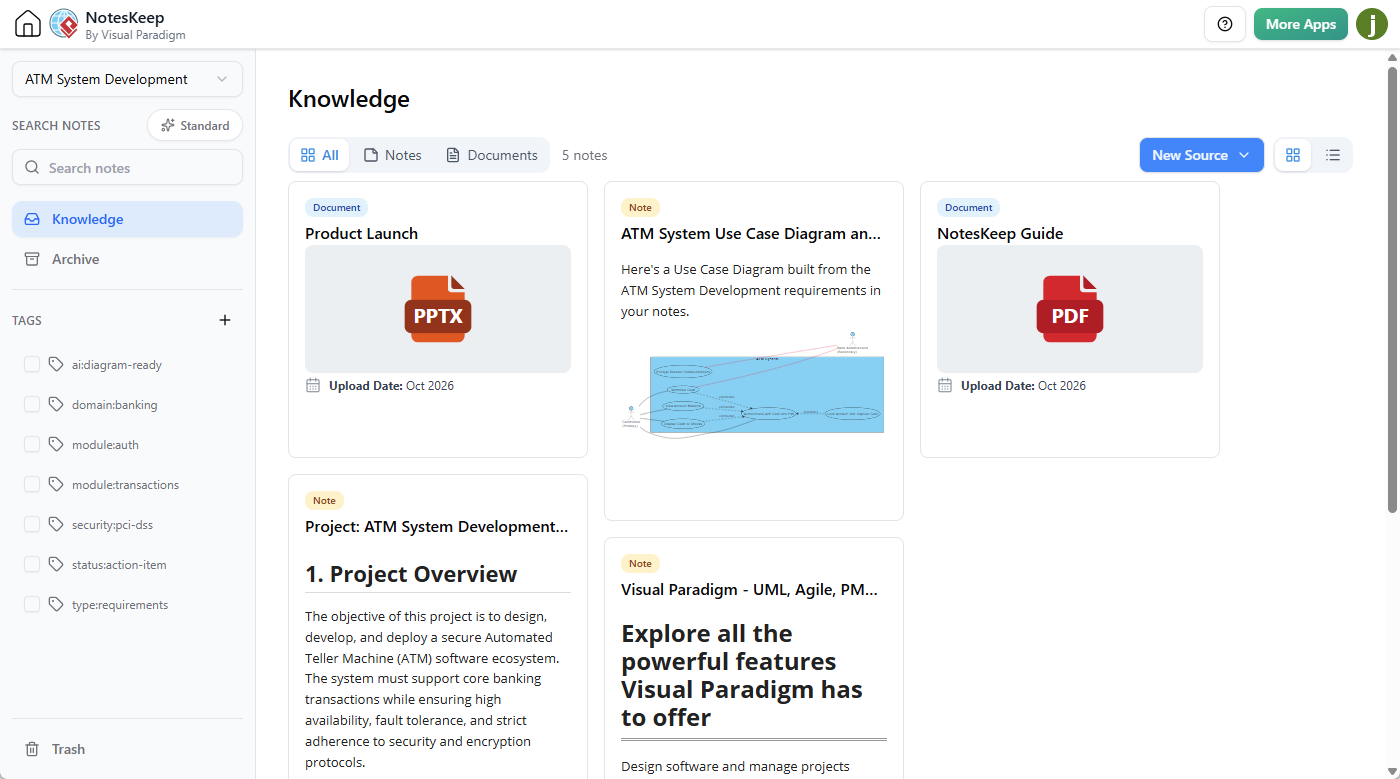
Key Features & Capabilities
- Full-Featured WYSIWYG Editor: Create structured notes using advanced rich-text formatting, custom text styling, structural tables, hyperlinks, and formatted code blocks.
- Automated URL Content Fetching: Instantly ingest live web content by simply pasting a URL. The tool automatically extracts, converts, and cleans website data into fully editable notes.
- Native Ecosystem Visual Integration: Seamlessly embed technical drawings, architectural models, mind maps, flowcharts, infographics (via Visual Paradigm Infographic Maker), diagram-as-code (via Visual Paradigm VPasCode), and Excalidraw drawings directly into your notes without leaving the workspace.
NotesKeep Case Studies
Case Study: How We Found 4 Critical Requirement Conflicts in Minutes with AI Note-Taking

In software development and project management, gathering requirements across multiple departments often leads to conflicting priorities, unrecorded assumptions, and critical scope gaps. Manual cross-examination of long meeting transcripts or raw text notes is time-consuming and prone to human error.
This case study demonstrates how Visual Paradigm NotesKeep combined with the Visual Paradigm AI Chatbot enables project managers and business analysts to centralize multi-format meeting documentation, perform automated stakeholder conflict analysis, and uncover missing scope items before development begins.
Case Study: How AI Turned 5 Days of Evolving Notes into a Prioritized Backlog
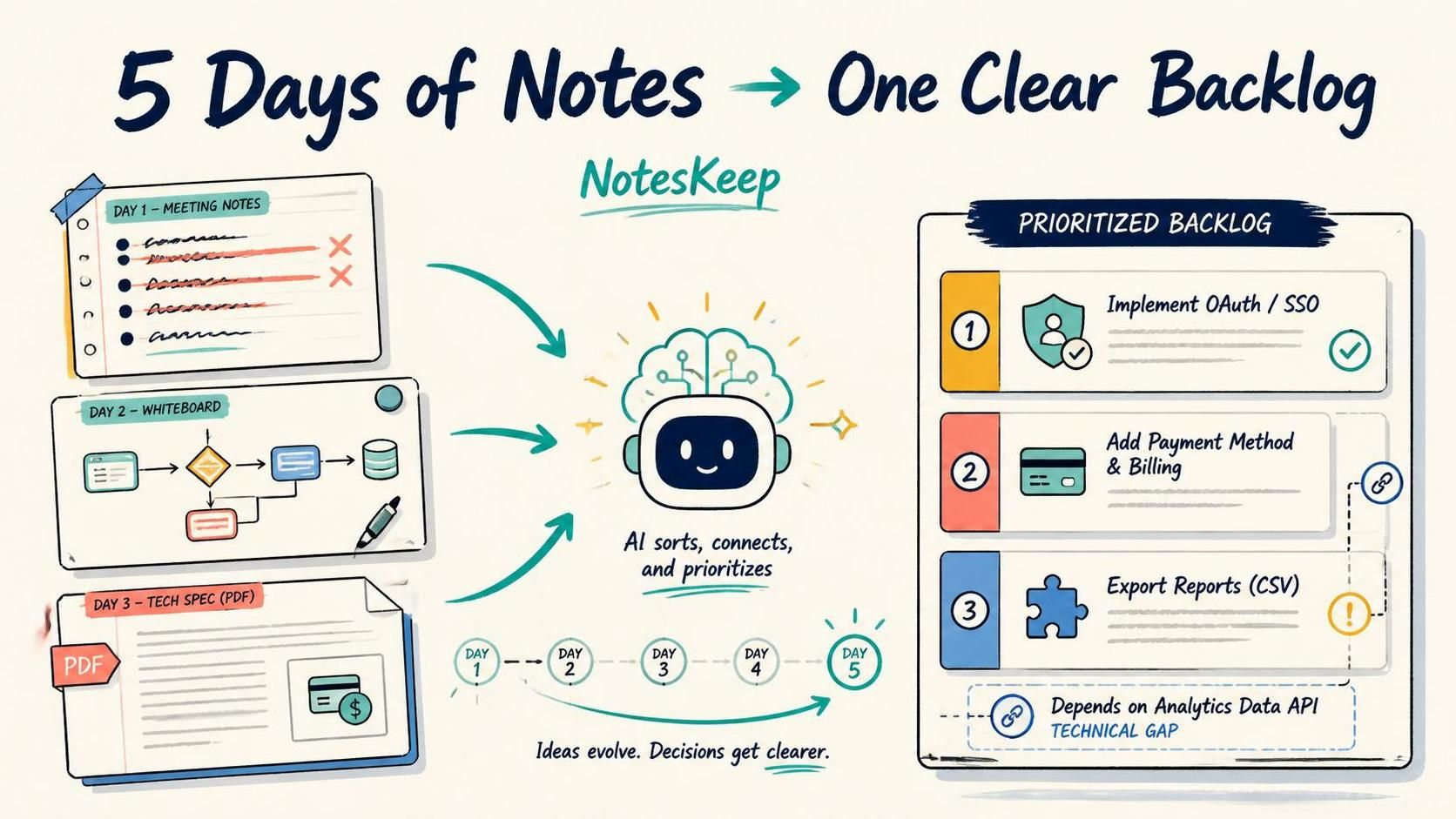
Product discovery is rarely a single, static event. Over days or weeks of stakeholder alignment, requirements evolve rapidly: earlier assumptions are overridden by later business constraints, and ideas are scattered across daily meeting logs, uploaded technical specifications, and hand-drawn whiteboard sketches.
Manually sifting through multi-day meeting histories to identify current ground truth and map technical dependencies takes hours of administrative effort. This case study demonstrates how Visual Paradigm NotesKeep and the Visual Paradigm AI Chatbot automatically perform temporal reconciliation, process multimodal visual data, and generate a prioritized, dependency-aware product backlog.
How to Use the Note-Taking Tool: A Step-by-Step Guide
1. Creating and Structuring Notes Manually
To start a new note, navigate to your NotesKeep workspace and create a new entry. Use the rich-text editor to layout your thoughts:
- Apply headers, bold text, and bullet points to establish clear hierarchies.
- Insert structured tables to organize tabular data or project timelines.
- Add formatted code blocks for technical documentation and development snippets.
2. Fetching and Cleaning Web Content via URL
Instead of manually copying and pasting web articles or documentation:
- Input your target web link directly into the ingestion interface.
- Allow the automated URL content fetching engine to extract the core text and clean the formatting.
- Review and edit the resulting text directly inside your NotesKeep repository.
3. Embedding Visual Assets and Diagrams
Enhance your textual notes with rich visual artifacts:
- Utilize the bi-directional ecosystem integration to pull in existing diagrams, mind maps, or flowcharts.
- Embed specialized assets such as Infographics, VPasCode snippets, or Excalidraw sketches directly into the body of your note.
- Keep all visual references centralized alongside your meeting minutes and project specifications.
Integrating with AI Knowledge Intelligence
Once your notes are created and organized, they feed directly into the broader Visual Paradigm AI Chatbot ecosystem. By enabling scoped Retrieval-Augmented Generation (RAG) queries, you can command the AI to search through your note-taking repository, answer project questions, resolve conflicting requirements, or even translate unstructured text notes into formal technical diagrams like UML models and ERDs.
Web Resources
- Access the NotesKeep app
- Discover conversational capabilities with the Visual Paradigm Chatbot