


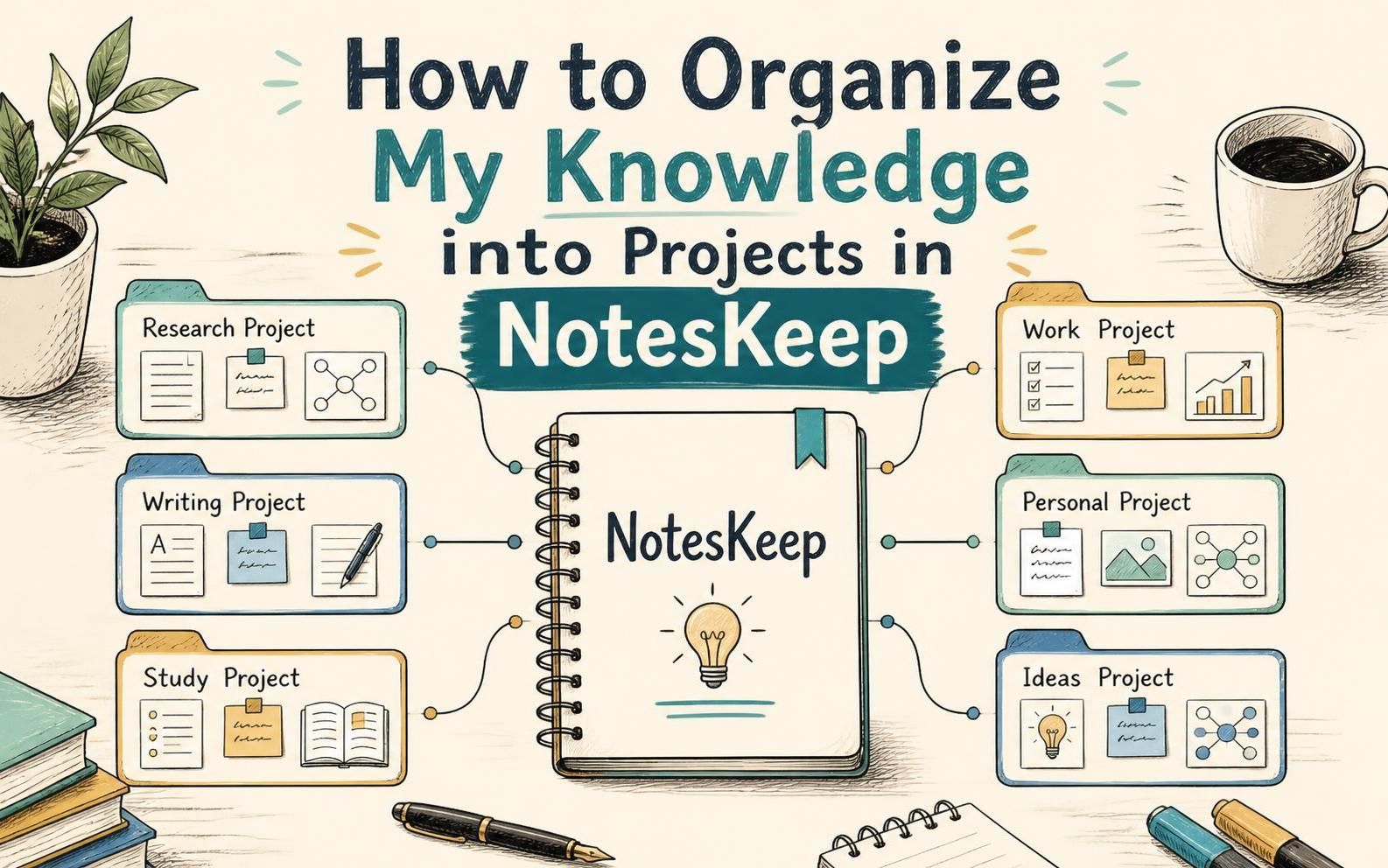
When working across multiple client accounts, software releases, or departmental initiatives, mixing all documentation into a single unstructured bucket leads to clutter, confusion, and operational risk. Visual Paradigm NotesKeep solves this challenge by enabling teams to organize notes and uploaded documents into isolated, dedicated Projects.
Project-based organization provides structured workspace boundaries, keeping knowledge assets neatly separated while improving the precision of team collaboration and AI-driven queries.
Why Organize Knowledge into Projects in NotesKeep?
Structuring your notes, specifications, and files into dedicated projects provides distinct benefits for enterprise workflows and AI knowledge management:
- Workspace Isolation & Scoping: Keep sensitive project files, client deliverables, and technical specs strictly segregated into distinct workspaces to prevent information cross-contamination.
- Precision AI Chatbot RAG Reasoning: Scoping your knowledge into projects allows the Visual Paradigm AI Diagramming Chatbot to perform targeted Retrieval-Augmented Generation (RAG). AI queries only search relevant project notes, delivering far more accurate answers and exact in-line source citations.
- Streamlined Team Navigation: Team members can focus on their active project without getting overwhelmed by unrelated documents from other departments or legacy initiatives.
- Flexible Inter-Project Mobility: Easily reassign or transfer knowledge items between projects as project lifecycles evolve or deliverables shift across teams.
Scenario 1: Creating and Managing Knowledge Under an Active Project
To ensure new notes and uploaded documents automatically land in the correct workspace, select or create your target project before adding new content.
- Select or Create a Project:
In the top-left area of the NotesKeep interface, locate the Project combo box dropdown menu. Click it to select an existing project or create a new project workspace for your initiative.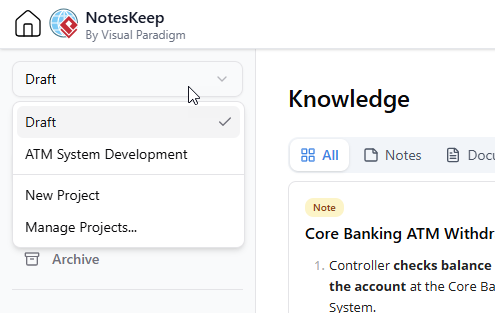
- Create Notes or Upload Documents:
Click New Source to write a new note, fetch content from a web page, or upload external documents (PDF, Word, Excel, images).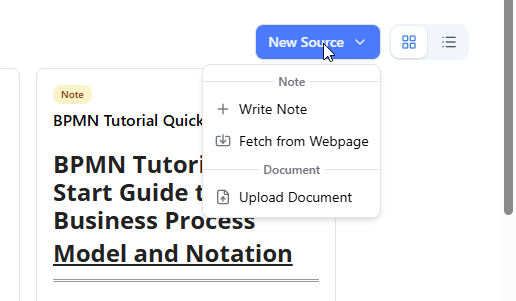
- Automatic Association:
All newly created notes and imported documents will automatically inherit the active project scope and be saved directly into that project’s knowledge repository.
Scenario 2: How to Move Existing Notes and Documents to Another Project
If a document was uploaded into the wrong space or needs to be reassigned to a different project lifecycle, NotesKeep allows seamless inter-project mobility.
- Locate the Knowledge Item:
Go to your main Knowledge page where your notes and documents are displayed in grid or list view. - Hover Over the Target Entry:
Hover your mouse cursor over the note card or document row you wish to transfer. - Click “Move to Project”:
In the bottom toolbar of the hovered item card, click the Move to Project button. This will reveal a dropdown list of available projects in your workspace. - Select Destination Project:
Click on the destination project name from the dropdown list. NotesKeep instantly transfers the note or document to the selected project space, preserving all content, formatting, and attached tags.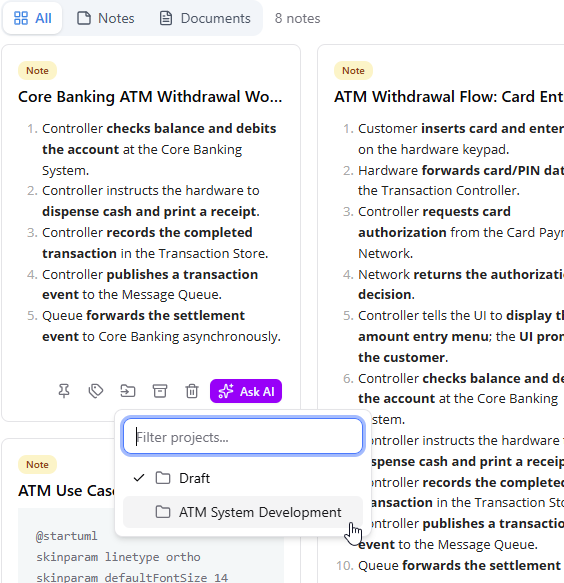
Best Practices for Structuring Projects in NotesKeep
To maximize readability and AI efficiency across your enterprise projects, consider these tips:
- Align Projects with Clear Boundaries: Define projects around specific products, client contracts, architectural domains, or operational quarters (e.g.,
Core-Banking-APIorQ4-Security-Audit). - Clean Up Completed Projects: Transfer active knowledge to long-term repositories or archive legacy entries when a project wraps up to keep active workspaces lean.
- Use Scoped AI Searches: When using the Visual Paradigm Chatbot, always choose your specific target project from the project selector to receive the most precise AI insights.
Frequently Asked Questions (FAQ)
What happens to tags when I move a document to another project?
All custom tags assigned to a note or document remain fully intact when transferred to a new project, maintaining your categorization structure.
Can I search across all projects at once using the AI Chatbot?
Yes. In the Visual Paradigm Chatbot, you can scope your search to a specific project or select broader scopes to search across all accessible knowledge in your NotesKeep ecosystem.
Is there a limit to how many projects I can create in NotesKeep?
NotesKeep supports flexible project creation, allowing teams to set up dedicated workspaces for all active projects, departments, and client initiatives.